Feature
Prompt and Do Any Task
One sentence. Every system. Work done.
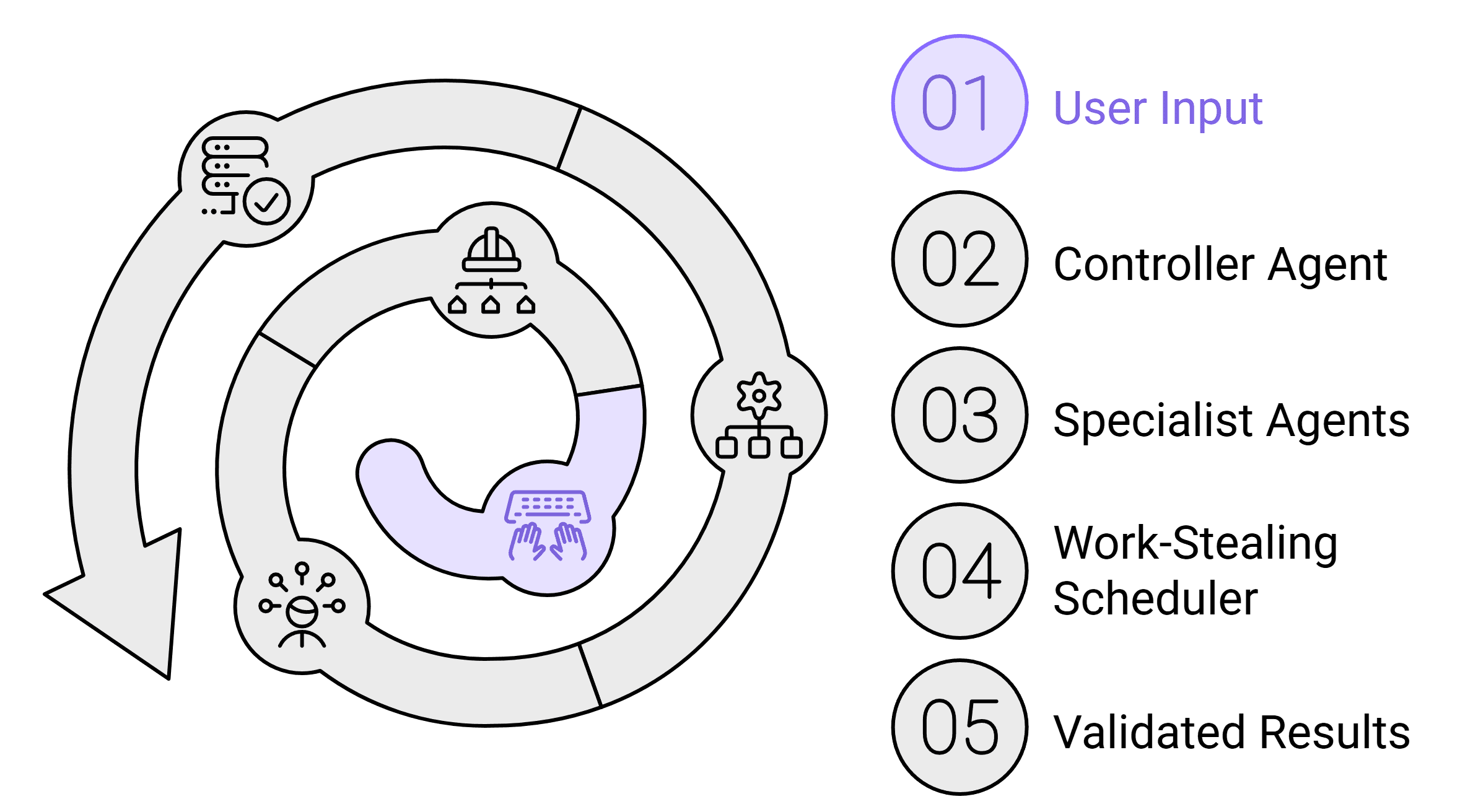
Type a natural language instruction and SuperManager AGI executes it across every connected application. The Controller Agent decomposes tasks into a DAG of subtasks, dispatches them to specialist agents in parallel using a work-stealing scheduler, and commits validated results. From creating tickets and sending updates to generating reports and reconciling settlements one prompt, work done.
1 Prompt
To trigger multi-system workflows
6.7×
Throughput vs. manual execution
97%
Task execution accuracy
<65 ms
End-to-end response time
Overview
SuperManager AGI transforms the way enterprise work gets done. Instead of switching between a dozen applications, logging in, navigating menus, and executing repetitive steps you simply describe what you need in plain English. The Controller Agent receives your instruction, understands intent using a context-aware LLM layer, and immediately decomposes it into a directed acyclic graph (DAG) of subtasks. Each node in the DAG is dispatched to a specialist agent best suited for that operation whether it's writing to Jira, querying your ERP, sending a Slack message, or reconciling a payment ledger.
The work-stealing scheduler ensures no agent sits idle. Subtasks are distributed dynamically, so 10 agents can work simultaneously on different parts of a complex workflow. Before any result is committed back to your systems, a validation layer cross-checks outputs using evidence-majority voting catching hallucinations and data errors before they propagate. The entire process, from your prompt to completed action, takes seconds not hours of manual work.
Benefits
No Tool-Switching Overhead
Eliminate the cognitive and time cost of navigating between Slack, Jira, Salesforce, ERP, and spreadsheets. One prompt replaces dozens of clicks across disconnected tools.
Parallel Execution by Default
Unlike humans who work sequentially, the Controller Agent fans out tasks to specialist agents simultaneously dramatically reducing end-to-end completion time.
Validated Before Commit
Every action goes through evidence-majority voting before being written to your systems. No dirty data, no partial updates, no silent failures.
Full Audit Trail
Every subtask, agent action, and system write is logged with timestamps, agent IDs, and input/output snapshots giving you complete traceability.
Context-Aware Interpretation
The Controller Agent understands enterprise context your org structure, roles, active projects, and tool configurations so instructions don't need to be perfectly worded.
Use Cases
Head of Operations
Prompt: 'Close out last week's open shipments, notify customers with delays, and create a summary report in Google Sheets.'
Agents query the WMS, identify 14 delayed shipments, draft and send 14 personalized emails via SendGrid, and populate a formatted Google Sheet in under 90 seconds.
Finance Manager
Prompt: 'Reconcile this week's Razorpay settlements against our ERP invoices and flag mismatches.'
The finance agent pulls settlement data from Razorpay, matches against SAP invoices, identifies 3 discrepancies, and creates a Jira ticket for each ready for review.
Product Manager
Prompt: 'Compile feedback from last sprint's Jira tickets, Slack threads, and Salesforce cases into a product brief.'
Agents pull data from three sources simultaneously, deduplicate insights, and generate a structured brief in Notion in the format your team expects.
How It Works
Step 1
Intent Parsing
Your natural language prompt is parsed by the Controller Agent using a fine-tuned enterprise LLM that understands your connected tools, org context, and active workflows.
Step 2
DAG Construction
The task is decomposed into a directed acyclic graph of subtasks each with defined inputs, outputs, dependencies, and the specialist agent responsible for execution.
Step 3
Parallel Dispatch
The work-stealing scheduler distributes subtasks across available specialist agents. Independent tasks run simultaneously; dependent tasks queue correctly based on DAG edges.
Step 4
Evidence Validation
Before any write operation, outputs are validated through majority voting across multiple evidence sources ensuring accuracy and preventing data corruption.
Step 5
Commit & Report
Validated results are committed to target systems. A structured completion report is returned to you showing every action taken, by which agent, and the outcome.
FAQ
What happens if one subtask fails mid-workflow?
The Controller Agent detects the failure, pauses downstream dependent subtasks, and routes the issue for human review or automatic retry depending on your configured error policy. Completed subtasks are not rolled back unless a full transaction rollback is specified.
Can I use this for workflows that require approvals?
Yes. Approval gates can be inserted at any node in the DAG. The agent pauses execution, notifies the designated approver, and resumes only after confirmation with full audit logging of the approval event.
How does the agent know which tools to use?
During onboarding, your connected applications are indexed with their capabilities, schemas, and access scopes. The Controller Agent uses this capability map to route each subtask to the right specialist agent automatically.