I Built a Project Using AI Without Coding Here's How
I built a functional client reporting dashboard, a content automation pipeline, and a customer feedback analysis tool without writing a single line of code. Here is the exact stack I used, the problems I hit, and what I would do differently.
Aditya Sharma
Author

Six months ago, I could not have built anything that resembled a software product. I am not a developer. I have a basic understanding of how technology works but no programming background and no patience for learning to code from scratch. In the past six months, I built three functioning projects using a combination of no-code tools and AI none of which would have been possible for me before these tools existed. This is not a piece about how AI will replace developers. It is a piece about how the combination of no-code platforms and AI assistance has created a category of project that did not previously exist: functional software built by people who cannot code. Here is exactly what I built, how I built it, and what I learned.
Project 1: Client Reporting Dashboard
The problem: I was manually compiling weekly performance reports for five clients pulling data from Google Analytics, Meta Ads Manager, and a Shopify store, formatting it into a Google Slides presentation, and writing commentary. This took me 6 to 8 hours per week. The build: I used Zapier to connect each data source to a Google Sheet, with automated data pulls running every Monday morning. I used Looker Studio (Google's free data visualisation tool) to build a dashboard that reads from the Google Sheets and displays the key metrics visually. I used Claude to generate the commentary section a prompt that takes the previous week's numbers and produces a three-paragraph performance narrative that I edit and personalise before sending.Time to build: approximately 12 hours across two weekends, most of which was spent configuring the Zapier connections and designing the Looker Studio visualisations. Tools used: Zapier (free tier), Google Sheets, Looker Studio (free), Claude. The result: weekly report production now takes 25 to 30 minutes per client the time to review the dashboard, edit the AI commentary, and send. Estimated time saved: 5 to 6 hours per week.
Project 2: Content Automation Pipeline
The problem: I create LinkedIn content consistently but the distribution workflow turning a long-form piece into LinkedIn posts, newsletter snippets, and Twitter threads was consuming time I did not want to spend on formatting. The build: I created a Make (formerly Integromat) scenario that triggers when I add a document to a specific Google Drive folder. The scenario sends the document content to Claude's API with a prompt that instructs it to produce three LinkedIn posts, one newsletter snippet, and one Twitter thread from the content. The outputs are automatically added to a Notion content calendar with draft status, ready for my review and scheduling.Time to build: 8 hours, most of which was spent learning Make's interface and configuring the API connection to Claude. Tools used: Make (free tier), Google Drive, Claude API (requires a small paid credit top-up approximately ₹500 per month at my usage volume), Notion. The most valuable learning from this build: the Claude API prompts needed significant iteration before the outputs were consistently usable. I spent three hours testing prompt variations before I had a template that produced reliably good first drafts. Prompt quality is the engineering skill in an AI-powered no-code pipeline.
Project 3: Customer Feedback Analysis Tool
The problem: a client who runs a D2C brand receives 200 to 300 customer reviews per month across Amazon, their website, and Google. The team was reading a sample of them monthly and producing a subjective summary. The build: I used a combination of a Google Sheets script (which I did not write I asked Claude to write it for me and pasted it in) that pulls reviews from their website's database export, and a Make scenario that sends batches of reviews to Claude with a prompt asking it to categorise each review by sentiment, identify the top three positive themes, identify the top three complaint themes, and flag any reviews mentioning specific product issues. The outputs are written to a structured Google Sheet dashboard with trend charts.Time to build: 15 hours, including 4 hours working with Claude to generate and debug the Google Sheets script. The most important lesson from this project: AI-generated code that I pasted into a Google Sheets script needed three rounds of debugging before it worked correctly. Claude was both the code generator and the debugger I would describe the error message, paste the code, and ask for a fix. This iterative process worked, but it required patience and the ability to describe errors in plain language accurately.
What You Actually Need to Build Without Coding
- Clear problem definition before you start building the clearer your understanding of exactly what the tool needs to do, what data it needs to access, and what output it needs to produce, the more straightforward the build will be
- Comfort with structured thinking and logical process design you are not writing code, but you are designing a logic flow, and this requires the ability to think in sequences, conditions, and data transformations
- Patience for configuration and debugging no-code builds fail regularly and require troubleshooting; the skill is learning to describe problems clearly enough that AI tools or help documentation can help you solve them
- A willingness to pay small amounts for API access several of the most powerful AI capabilities require API access rather than consumer product access, which involves a small monthly cost (typically ₹300 to ₹1,000 per month for moderate use) but opens up capabilities not available through free consumer interfaces
- The judgment to know when a build is good enough versus when you are over-engineering the fastest path to a working tool is the simplest solution that solves the actual problem, not the most sophisticated architecture you can imagine
What I Would Do Differently
The most expensive mistake I made across all three projects was starting to build before I had a clear enough specification of what I was building. In each case, I spent significant time rebuilding parts of the project that I had designed incorrectly in the first iteration because I had not thought through the edge cases and requirements carefully enough before starting. Thirty minutes of upfront specification work would have saved two to three hours of rebuilding in each project.The second mistake was not testing the AI prompt quality before building the automation around it. In all three projects, I built the automation pipeline and then discovered that the AI output quality required significant prompt iteration before the outputs were usable. Testing the prompt in a direct Claude interface conversation first getting it to a state where the output is consistently good before building the automation around it is the correct sequence.

These Jobs Will Disappear Because of AI (Be Ready)
Related articles
View all →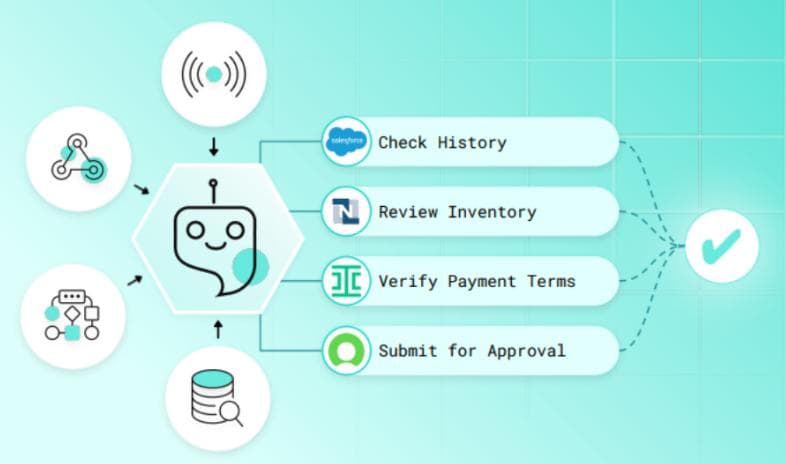 AI Execution
Why AI Execution Systems Will Define the Future of Enterprise Operations
The next frontier of enterprise competitive advantage is not strategy it is execution. AI execution systems that translate strategic intent into coordinated operational action, faster and more reliably than any human-managed process, are becoming the defining infrastructure of enterprise performance in every sector.
 Autonomous Coordination
The Rise of Autonomous Enterprise Coordination Platforms
Enterprise coordination the alignment of people, processes, information, and resources across organisational boundaries has always been expensive, slow, and error-prone when managed through human intermediaries alone. Autonomous coordination platforms powered by AI are replacing the coordination overhead of large organisations with intelligent systems that synchronise the enterprise continuously and without manual intervention.
 AI Agents
How AI Agents Are Transforming Enterprise Workflow Intelligence
AI agents autonomous systems that perceive their environment, reason about objectives, and take action across enterprise workflows are moving from research concept to operational reality. The enterprises deploying AI agents at scale are discovering that workflow intelligence is not just about automation it is about creating organisational capability that compounds with every cycle.